
PS5 is made for high- performance gaming. With fast loading, smooth graphics and strong hardware, it's designed to manage long gaming sessions, but the major issue PS5 owners face is overheating. If your PlayStation 5 suddenly won’t turn on, shows overheating warnings, makes a loud fan sound or feels extremely hot, there is an issue with the system. Overheating not only affects your gameplay but also damages internal components if ignored. If you’re having any issues with your console, the PlayStation repair in Guwahati handles your devices and repair with proper care.
There are powerful components inside the PS5 that produce a lot of heat during use. The console depends on a cooling system that is made up of three key components: cooling fan, thermal paste and temperature sensors. When any of these parts fail or stop working well, heat builds up fast and causes the console to overheat.
1. Fan Problems — When Airflow Is Restricted
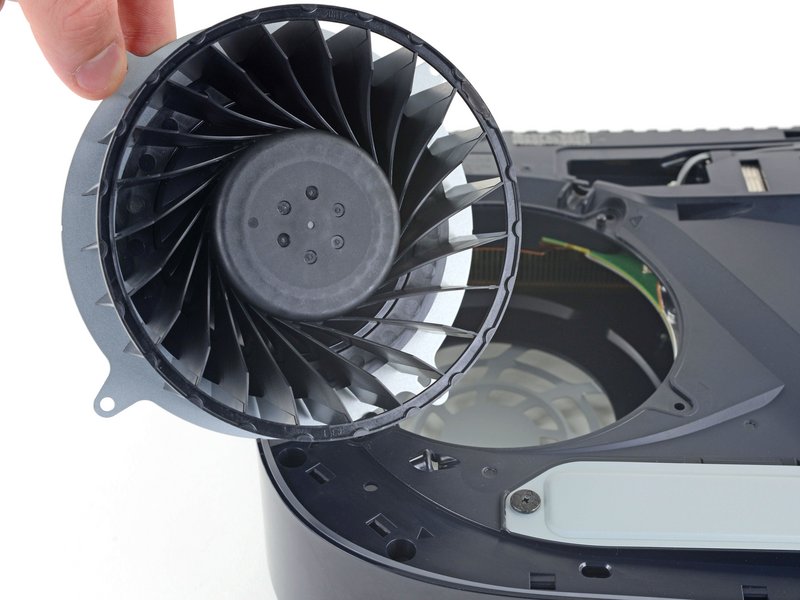
The fan pulls in cool air and blows out the heat. Over time, dust and dirt pile up inside the PS5, which blocks the airflow.
Common Fan-Related Issues
● Dusty fan blades
● Loud or grinding noises
● Fan barely moving or stuck
● The fan motor is shot or broken
If the air can’t move, the heat gets stuck inside. This is usually why your console suddenly cuts off or pops up an overheating warning while you’re playing.
How The Keypad Fixes Fan Issues
At the PS5 repair service in Assam, we take your console apart to give it a deep clean and make sure the fan is working right. If the fan is broken, we swap it out with a high-quality new one. Just cleaning the outside isn't enough, you have to get deep inside the machine to actually fix the problem.
2. Thermal Paste — The Hidden Cause of Overheating
Thermal paste is a special compound applied between the main chips to help manage heat and the cooling system to help pull heat away. Over time, this paste dries out and stops working, especially if you play for hours at a time.
Signs of Thermal Paste Failure
● Still getting hot after cleaning the fan
● The console turns off during gameplay
● The fan stays loud or runs fast all the time
● The outside of the console feels way too hot
At The Keypad, we scrape away the old, dry paste and put on a fresh, high-quality layer. This helps the heat move out of the chips much faster, which keeps the inside cool and makes the fan run a lot quieter.
3. Temperature Sensor Issues — Incorrect Heat Detection
Temperature sensors monitor internal heat levels and control fan speed or automatic shutdowns. When a sensor fails, it can cause:
● Wrong overheating warnings
● The system is turning off suddenly for no reason
● The fan is spinning at full blast when it doesn't need to
Sensor Repair and Calibration
Our technicians test and adjust temperature sensors using quality professional tools. If needed, faulty sensors are repaired or replaced to restore accurate heat monitoring and stable performance.
Our PS5 overheating repair service follows a complete, step-by-step process:
1. Complete internal checking
2. Deep cleaning of all dust and vents
3. Checking, fixing, or putting in a new fan
4. Scraping off old paste and putting on a fresh layer
5. Testing and fixing the heat sensors
6. Running a heavy test to make sure it stays cool
This makes sure the root cause is fixed, not just the symptoms.
Conclusion
PS5 getting heated is a serious issue, but it’s easy to fix. Whether the issue is the fan, the dry paste or a broken sensor, getting it fixed by a pro will make it run cool and smooth again.
At The Keypad, our experts fix PS5 problems like overheating, loud fans, dry paste and broken sensors. If you have any issues with your devices, such as PlayStation, Xbox, Nintendo Switch or Valve Steam Deck, don't wait. Connect with the best Gaming console repair in Guwahati and our team will get it running like new again.